
Qwen Image 2.1: Local Editing & Object Removal
What's new in Qwen Image 2.1: local editing, object removal, transparent RGBA images, subject extraction, and multi-reference photo workflows.
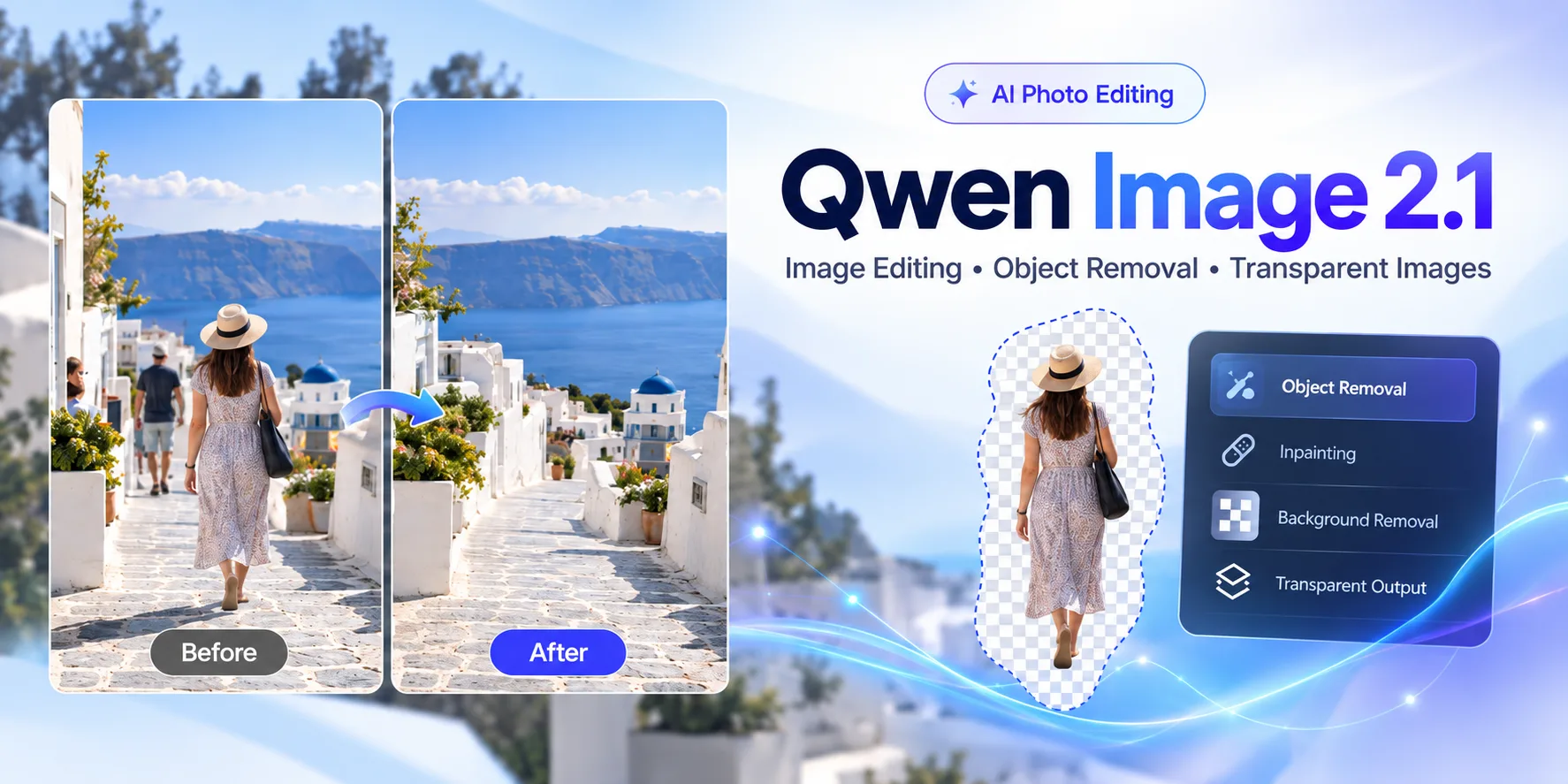
Qwen Image 2.1 is the latest image generation and editing model from the Qwen team, released on September 20, 2026. Official weights are available on Hugging Face, with Day-0 ComfyUI support.
Unlike image models that focus primarily on text-to-image generation, Qwen Image 2.1 combines image generation and image editing in a single model. It can generate new images, modify existing photos, perform localized edits, work with multiple reference images, extract subjects, and even generate images with transparent backgrounds.
For people interested in AI photo editing, one of the most interesting parts of Qwen Image 2.1 is its improved support for local editing.
Instead of regenerating an entire image, users can identify a particular region and ask the model to modify, replace, or remove something from that area.
That makes Qwen Image 2.1 particularly interesting for workflows such as:
- removing unwanted objects
- removing people from photos
- replacing clothing
- changing hairstyles
- editing product photos
- extracting subjects
- creating transparent PNG images
- reconstructing backgrounds after an object is removed
Here is a closer look at what Qwen Image 2.1 can do and what it could mean for the next generation of AI image editing tools.
What Is Qwen Image 2.1?
Qwen Image 2.1 is a unified image generation and editing model developed by the Qwen team.
Its visual generation component contains approximately 7 billion parameters, using a single-stream diffusion transformer architecture.
Despite being smaller than some large image generation models, Qwen Image 2.1 is designed to balance image quality, inference efficiency, and editing flexibility.
The same model can handle both:
Text-to-image
You describe an image with a text prompt and the model generates it.
For example:
A small coffee shop on a rainy Tokyo street at night, cinematic lighting.
And:
Image-to-image editing
You provide an existing image together with an instruction.
For example:
Remove the person standing behind the car and reconstruct the street naturally.
This unified approach is important because many older AI image workflows require different models for generation, inpainting, background removal, and object editing.
Qwen Image 2.1 attempts to handle many of these tasks using a single model.
What's New in Qwen Image 2.1?
According to the official model card, four key improvements define this release.
1. A More Compact Image Model
Qwen Image 2.1 uses a 7B-parameter visual generation component.
The architecture includes optimizations such as prefix KV cache reuse, allowing information from input images and instructions to be reused during the generation process rather than repeatedly recomputed.
For developers, this could eventually make deployment and high-volume image editing more practical.
For ordinary users, the technical architecture matters less than the outcome: faster and cheaper image editing could make sophisticated AI editing available in simpler web applications.
2. Native Transparent Images
One of the most unusual features of Qwen Image 2.1 is native support for transparency.
Most image generation models generate standard RGB images.
Qwen Image 2.1 can work with RGBA images, where the additional alpha channel represents transparency.
That means the model can perform tasks such as:
- generate an object with a transparent background
- extract a subject from a photograph
- edit transparent layers
- generate assets that can immediately be placed into another design
This could be particularly useful for ecommerce images, graphic design, thumbnails, stickers, presentations, and product photography.
Instead of generating an object and then passing it through a separate background removal model, the entire workflow may eventually be handled by one model.
3. Versatile Local Editing
Local editing is probably the most interesting Qwen Image 2.1 feature for photo cleanup tools.
The model supports multiple ways of identifying an area that should be changed.
For example, the editing region can be specified using:
- circles
- painted annotations
- masks
Once the region has been identified, the user can describe what should happen there.
An instruction could look like:
Remove the person inside the marked area and reconstruct the background.
Or:
Remove the watch from the person's wrist.
Or:
Replace the red jacket with a black hoodie.
This is different from simply asking a generative model to recreate the whole photograph.
A good local editing workflow attempts to preserve everything outside the selected area while modifying only the requested region.
The same versatile-editing bucket also covers up to 10 reference images and stronger identity preservation for people and products—covered in more detail later in this article.
4. Realistic Textures and Refined Aesthetics
Qwen also highlights improvements in typography, portrait lighting, and fine detail.
Those gains matter less for a pure “delete this person” workflow, but they matter a lot when an edit has to blend with the rest of a photograph—matching skin texture, fabric weave, wall patterns, or small typography in the background.
Can Qwen Image 2.1 Remove People From Photos?
Potentially, yes.
Qwen Image 2.1 supports local image editing and can modify or remove elements inside specified areas.
That makes person removal a natural use case.
A typical workflow could look like this:
- Detect or manually select the unwanted person.
- Convert the selected region into a mask.
- Send the original image, mask, and editing instruction to the model.
- Remove the selected person.
- Generate new pixels that reconstruct the hidden background.
The fifth step is usually the difficult part.
Removing a person from an image is not simply deleting pixels.
Imagine someone standing in front of:
- a brick wall
- a patterned floor
- a table
- another person's body
- tree branches
- furniture
- text or signs
When that person disappears, the editing model has to predict what would probably have existed behind them.
This process is generally known as inpainting.
Modern generative models can reconstruct surprisingly complex backgrounds, but results still depend heavily on the image, selected region, prompt, and model.
Qwen has demonstrated local object editing with Image 2.1, but that should not be interpreted as a guarantee that every person-removal image will produce perfect results.
Complex occlusions remain one of the hardest problems in AI image editing.
Qwen Image 2.1 and AI Object Removal
The same workflow used for person removal can also be applied to unwanted objects.
Examples include removing:
- tourists
- cars
- trash cans
- signs
- cables
- furniture
- accessories
- background distractions
Traditionally, object removal tools often relied on specialized inpainting models.
These systems receive an image and a binary mask:
White region: regenerate this area.
Black region: preserve this area.
More recent multimodal image models are becoming more instruction-driven.
Instead of only processing a mask, they can understand instructions such as:
Remove the bicycle next to the tree.
This creates an interesting possibility.
Future object-removal tools could combine computer vision and generative models:
Object detection → segmentation → local generative editing → quality checking
The user may eventually need to do little more than click the unwanted object.
Better Preservation of People and Products
Generative image editing has another common problem: modifying one part of an image can accidentally change something else.
For example, imagine asking an AI model to remove someone standing next to you.
A poorly controlled edit could also change:
- your face
- your clothing
- your pose
- nearby objects
- lighting
- colors
Qwen says Image 2.1 improves identity preservation for people and products.
This is important for practical photo editing.
A useful editing model should not simply create a beautiful new image.
It should preserve the original photograph as much as possible while changing only what the user requested.
For product photography, this is especially important.
Changing a background while subtly changing the product itself could make the resulting image unusable.
Up to 10 Reference Images
Qwen Image 2.1 also supports multiple reference images.
Users can provide up to 10 reference images during an editing or generation workflow.
This enables much more complex compositions.
For example, you could provide:
- a photograph of a person
- a shirt
- a pair of shoes
- a bag
- a background
And ask the model to combine those elements into a new scene.
Qwen has also demonstrated multi-person composition using several individual portrait references.
Although this feature is not directly related to person removal, it shows where AI image editing is heading.
Instead of simply generating images from text prompts, models are increasingly becoming visual composition engines.
Subject Extraction and Transparent Backgrounds
Another particularly useful Qwen Image 2.1 capability is subject extraction.
Suppose you have a photograph of a sneaker on a table.
A traditional workflow might involve:
- running a segmentation model
- generating a subject mask
- removing the background
- exporting the result as PNG
Qwen Image 2.1 can work directly with transparent RGBA images, opening the possibility of combining several of these steps.
This could make the model useful for:
- ecommerce product cutouts
- profile photos
- design assets
- stickers
- thumbnails
- catalog images
It also demonstrates an important trend in generative AI.
Image generation models are gradually absorbing features that previously required separate specialized computer vision models.
Qwen Image 2.1 vs Traditional Inpainting
Traditional AI inpainting typically follows a very strict workflow:
Image + Mask → Reconstructed Image
The model sees the surrounding pixels and attempts to fill the masked region.
This approach can work very well, particularly when the removed region is relatively small.
However, instruction-based models add another layer of understanding.
Now the workflow can become:
Image + Mask + Natural-language instruction → Edited Image
The instruction provides additional semantic context.
Instead of simply saying:
Fill these pixels.
You can say:
Remove the person and continue the stone wall behind them.
That additional context can help the model understand what type of reconstruction is expected.
Qwen Image 2.1's support for visual annotations and natural-language editing makes this type of workflow particularly interesting.
Does This Mean Dedicated Person Removers Are No Longer Needed?
Not necessarily.
A powerful image model and a useful consumer product are two different things.
Running a foundation model often requires:
- downloading large model weights
- installing Python dependencies
- configuring GPU acceleration
- understanding inference parameters
- creating masks
- writing prompts
- handling image formats
Most people who simply want someone removed from a vacation photo do not want to configure an AI model.
They want to upload an image, select the unwanted person, and receive a cleaned photo.
That is the purpose of dedicated tools such as Person Remover.
The underlying AI models will continue improving, but user experience still matters.
In fact, better foundation models can make specialized tools more useful because the complexity can be hidden behind a simple interface.
What Qwen Image 2.1 Could Mean for Future Person Removal Tools
The most interesting long-term possibility is not replacing one inpainting model with another.
It is creating a multi-stage AI editing system.
For example:
Step 1 — Person detection
Identify people in the photograph automatically.
Step 2 — Segmentation
Create a precise mask around the selected person.
Step 3 — Fast inpainting
Use an efficient model to reconstruct the missing region.
Step 4 — Quality analysis
Check whether obvious artifacts, duplicated objects, or person fragments remain.
Step 5 — Advanced generative repair
If the first result is poor, send the difficult area to a more capable generative editing model.
This could provide better results without requiring an expensive model for every image.
The user would simply see:
Upload → Select → Remove
while several AI systems work behind the scenes.
Can You Run Qwen Image 2.1 Locally?
Yes.
Qwen Image 2.1 model weights have been released publicly on Hugging Face, and the model received Day-0 support from several popular AI inference ecosystems.
These include:
- Hugging Face Diffusers
- ComfyUI (native templates + Comfy-Org weights)
- vLLM-Omni
- SGLang
- LightX2V
For developers already experimenting with local image generation, Diffusers or ComfyUI will probably be the easiest places to start.
However, GPU memory, speed, and inference requirements will depend on the configuration and optimizations used.
Is Qwen Image 2.1 Free for Commercial Use?
This point deserves special attention.
Although Qwen describes Qwen Image 2.1 as an open-source model, the released model is governed by the Qwen Research License Agreement (see the model card license section).
The license grants use of the released materials for non-commercial research and evaluation.
Commercial use requires a separate commercial license from Qwen.
Therefore, developers building paid products or commercial image-editing services should review the current license carefully rather than assuming the model can automatically be used commercially.
Licensing terms may also differ between downloadable model weights and third-party hosted APIs, so developers should check the terms of whichever service they use.
Should You Use Qwen Image 2.1 for Person Removal?
Qwen Image 2.1 is promising for person-removal workflows because of its local editing, mask-guided editing, identity preservation, and background reconstruction capabilities.
But the most important question is not whether a model supports object removal.
It is whether it can consistently reconstruct difficult backgrounds.
For example:
Removing someone standing against a blank sky is relatively easy.
Removing someone standing in front of a crowd, patterned building, chair, or partially hidden person can be significantly harder.
That is why models should ideally be compared using real-world image sets rather than a few carefully selected demos.
Metrics worth evaluating include:
- remaining person fragments
- background consistency
- preservation of nearby people
- texture continuity
- structural artifacts
- processing speed
- inference cost
Qwen Image 2.1 looks like an interesting candidate for such tests.
Try Removing a Person Without Installing an AI Model
If your goal is simply to clean up a photo rather than experiment with AI infrastructure, you do not need to install Diffusers, configure ComfyUI, or run a local GPU.
With Person Remover, you can upload an image, select the unwanted person, and let the tool reconstruct the surrounding area automatically.
The goal is simple:
Remove the distraction while keeping the rest of your photo looking natural.
Related reading
- How to remove a person from a photo — step-by-step brush workflow
- AI person remover vs Photoshop — timing and quality comparison
- Remove objects from an image — when it is not a person
- Person remover — try cleanup in your browser without installing a model
Frequently Asked Questions
What is Qwen Image 2.1?
Qwen Image 2.1 is a unified AI image generation and editing model released by the Qwen team on September 20, 2026. It supports text-to-image generation, image editing, local edits, multiple reference images, subject extraction, and transparent RGBA images.
Can Qwen Image 2.1 remove objects?
Qwen Image 2.1 supports local editing and can modify or remove selected elements of an image. The quality of object removal depends on factors such as the selected area, background complexity, and editing instructions.
Can Qwen Image 2.1 remove people from photos?
Its local editing capabilities make person removal a possible use case. A person can be selected or masked and the model can attempt to reconstruct the background behind them. Results may vary with difficult scenes and large occlusions.
Does Qwen Image 2.1 support masks?
Yes. Qwen demonstrates local editing using separate masks as well as visual annotations such as circles and painted regions.
Does Qwen Image 2.1 support transparent images?
Yes. Qwen Image 2.1 includes native RGBA support and can generate transparent images, edit transparent layers, and extract subjects from photographs.
How many reference images does Qwen Image 2.1 support?
The model supports up to 10 reference images for multi-reference generation and editing workflows.
Can Qwen Image 2.1 run in ComfyUI?
Yes. Qwen Image 2.1 received native ComfyUI support at launch. It is also supported by Hugging Face Diffusers and several other inference frameworks.
Is Qwen Image 2.1 free for commercial use?
The downloadable Qwen Image 2.1 materials are released under the Qwen Research License Agreement, which limits the granted rights to non-commercial purposes unless a separate commercial license is obtained. Developers should verify the latest licensing terms before using the model in a commercial product.
Final Thoughts
Qwen Image 2.1 shows how quickly AI image editing is moving beyond simple text-to-image generation.
Local editing, transparent image generation, subject extraction, multiple references, and improved identity preservation are beginning to converge into a single class of models.
For photo editing tools, the most important development may be local generative reconstruction.
Removing something from a photograph is easy.
Reconstructing what should exist behind it—while keeping the rest of the image unchanged—is much harder.
Models such as Qwen Image 2.1 suggest that this part of the workflow is continuing to improve.
And as the underlying models become more capable, sophisticated tasks like removing people, cleaning backgrounds, extracting subjects, and repairing photographs should increasingly become simple one-click operations for ordinary users.