
GPT Image 2.6: Can It Remove a Person From a Photo?
OpenAI's Images 2.6 adds 50% faster generation, reference images and image annotation. Here's how GPT Image 2.6 handles removing a person from a photo — and when a dedicated remover is faster.
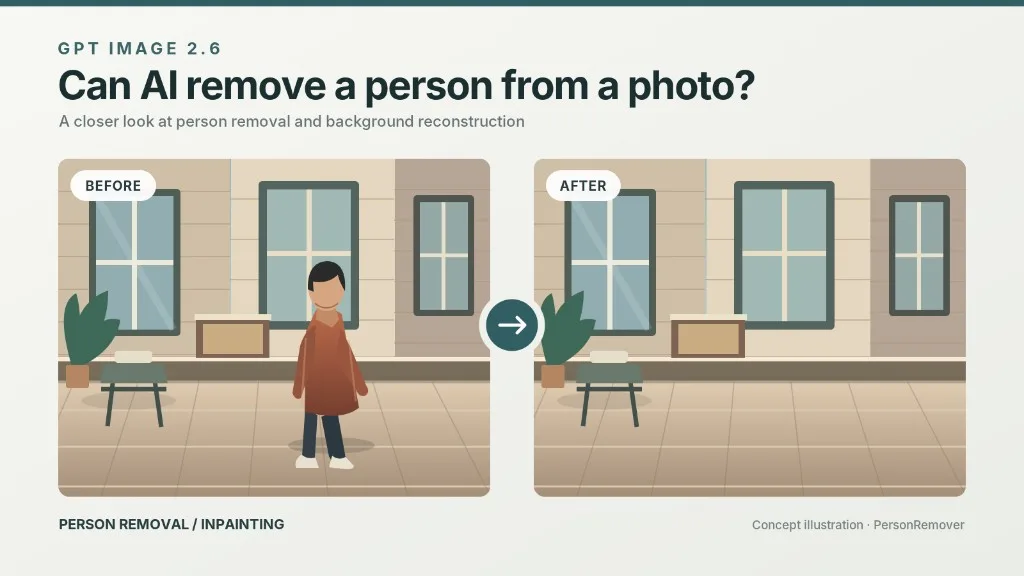
Inpainting is still the hard part of photo cleanup. Here's what OpenAI's 50%-faster model actually changes for person removal — and where it still leaves a visible seam.
GPT Image 2.6 is OpenAI's image generation and editing release from November 4, 2026. It ships in ChatGPT as ChatGPT Images 2.6, in Codex, and in the API as two models: GPT-Image-2.6 Flare and GPT-Image-2.6 Sunburst.
For anyone who edits photos, the interesting question is not how fast it generates a picture from scratch. It is whether it can take an existing photograph, remove a person standing in it, and rebuild what was behind them without leaving a smear.
Short answer: yes, it can — with image annotation it is the easiest chatbot-based person removal so far. It is still not the same thing as a purpose-built remover.
What Is GPT Image 2.6?
GPT Image 2.6 is a unified generation-and-editing model family. You can describe an image and get one, or hand it an existing image plus an instruction and get an edit.
Two API variants cover different trade-offs:
| GPT-Image-2.6 Flare | GPT-Image-2.6 Sunburst | |
|---|---|---|
| Built for | Fast, interactive editing; posters, product shots, layouts | Detail-heavy compositions, text-heavy layouts, multi-turn consistency |
| Speed | Fastest — about 6 seconds at low quality | Slower; strongest at medium or high quality |
| Best for person removal when | You are iterating on one photo quickly | Background is busy and you need several edit rounds |
In ChatGPT you do not pick a variant — the product handles it, and Images 2.6 is available across subscription tiers on desktop, mobile and web.
What's New in Images 2.6
1. 50% faster generation
Faster round-trips matter more for editing than for prompting: a person-removal job is usually 3–6 attempts, not one.
2. Image annotation, now in the API
The feature that lets you circle or mark an exact region in ChatGPT arrived in the API. This is the single most useful change for person removal — you point at the person instead of hoping a prompt lands on the right one.
3. Reference images and multi-turn consistency
The model holds character, product and brand details steadier across repeated edits. In practice: when you remove someone standing next to you, your own face, clothing and the product you are holding are less likely to drift.
4. GIF creation
The model can produce looping animated GIFs from sprite sheets — useful for stickers and social content, not relevant to cleanup.
5. SVG export
Edits can be exported as SVG for web, app and print use.
6. A new complexity parameter
In the API, complexity controls how much planning the model does: low for quick edits, medium or high when the scene has many elements or constraints. This is separate from image quality, which controls visual fidelity.
Can GPT Image 2.6 Remove a Person From a Photo?
Yes. Person removal is a local edit, and local editing is what this release improves most.
A reliable workflow in ChatGPT:
- Upload the photo and ask it to keep everything outside the marked area unchanged.
- Annotate the person — draw over them rather than describing where they are.
- Give a reconstruction instruction, not just a deletion: "Remove the person in the marked area and continue the brick wall and floor tile behind them."
- Review at 100%, not in the chat preview. Seams show up at full size.
- Ask for one targeted fix on the bad edge instead of regenerating the whole frame.
Step 3 is where most people get poor results. "Remove the person" tells the model what to erase; it does not tell it what the background should look like. Naming the surface — brick, tile, sand, foliage, blinds — gives the reconstruction something to aim at.
Where It Still Struggles
Heavy occlusion. Someone standing in front of another person, a chair, or a railing leaves an ambiguous hole. The model has to invent structure it never saw.
Thin structures. Hair strands, chair legs, cables and wire fences are the classic failure case.
Leftover contact shadows. The person is gone but their shadow on the ground stays.
Text in the background. Signs, posters and shopfronts often get garbled when the model rebuilds the area behind a subject.
No batch mode. Each photo is a conversation. Twenty photos is twenty passes.
Cost per image. Generation is metered; a multi-round removal is several generations.
GPT Image 2.6 vs a Dedicated Person Remover
This is the section that matters if you just want the photo fixed.
| Your situation | GPT Image 2.6 | A dedicated person remover |
|---|---|---|
| One holiday photo, one person | Good result, if you are willing to iterate | Select and go, no prompt needed |
| Preserving your own face and product exactly | Improved by reference images, still can drift | Built around "change only this area" |
| 20+ photos from the same event | One conversation each; slow | Designed for repeat volume |
| Blending rebuilt detail into texture | Strong with a specific instruction | Typically mask + inpaint, tuned for this |
| Learning curve | You need to learn to annotate and phrase prompts | Near zero |
| Price model | Subscription / metered API | Usually a free tier first |
The honest framing: a frontier model and a finished consumer tool are different products. GPT Image 2.6 is the better research project and the more flexible editor. A dedicated person remover is the better answer to "I have one photo and thirty seconds."
They also stack. People regularly try ChatGPT first, hit a seam on a busy background, and finish the job in a remover built for exactly that region. Nothing about a better foundation model makes a simple interface less useful — it usually makes the results behind that interface better.
Removing a Person Without Writing a Prompt
If the photo is already in front of you and you do not want to negotiate with a model, upload it to Person Remover, brush over the person, and let it rebuild the background. The same job, without a prompt to write.
Related reading
- How to remove a person from a photo
- AI person remover vs Photoshop
- Qwen Image 2.1: local editing and object removal
- Remove objects from an image
Frequently Asked Questions
When was GPT Image 2.6 released?
November 4, 2026. It rolled out in ChatGPT, Codex and the API.
Is GPT Image 2.6 free?
It is available across ChatGPT subscription tiers. API access to Flare and Sunburst is paid, per OpenAI's pricing page.
What is the difference between Flare and Sunburst?
Flare is the fast model — around 6 seconds at low quality — tuned for interactive editing and layout work. Sunburst is the detail model, strongest at medium or high quality, and holds consistency better across multiple edit rounds.
Can GPT Image 2.6 remove a person from a photo?
Yes. Use image annotation to mark the person, then instruct the model what to reconstruct behind them.
Does it leave a blur where the person was?
It can, especially on patterned surfaces, thin structures and leftover contact shadows. This is the most common complaint with chatbot-based removal.
Can it remove several people at once?
Often yes, but results degrade as the affected area grows. Multiple separate removals in one pass are harder than one clean removal.
Can I use it through the API?
Yes — GPT-Image-2.6 Flare and GPT-Image-2.6 Sunburst, with the new complexity parameter and image annotation.
Should I use GPT Image 2.6 or a person remover?
Use GPT Image 2.6 if you want a flexible editor and do not mind iterating. Use a dedicated remover if you want one photo fixed in one pass, or if you have a batch.
Final Thoughts
Images 2.6 makes person removal inside ChatGPT genuinely usable — annotation plus a reconstruction instruction gets most photos to a clean result within a few tries. What it does not remove is the work: the marking, the wording, the retries, and the review at full size.